The Keyboard: Where Things Become Personal
If there’s one part of this project that feels the most me, it’s the keyboard. Screens, radios, and modules are cool, but the keyboard is where you actually live with the device. It’s the part your hands touch constantly, and if it’s bad, the whole thing feels bad no matter how cool it looks.
This is also going to be my first ortholinear keyboard, which is a bit of a leap for me. I’ve never actually used an ortho layout before. Everything I’ve typed on up to this point has been some variation of a standard staggered keyboard, so there’s definitely going to be a learning curve. Still, that’s kind of the point. A cyberdeck is already a non standard device, so it felt right to experiment with a layout that’s more intentional and less inherited from typewriter mechanics.
Standard keyboards use a staggered layout that most of us never really think about. That stagger isn’t there because it’s ergonomically ideal, it’s a leftover from early mechanical typewriters where keys had to be offset to prevent the linkages from colliding. Even though modern keyboards don’t have those constraints anymore, the layout stuck around because it became familiar. Ortholinear keyboards take a different approach by arranging keys in straight rows and columns, which better matches how fingers naturally move up and down rather than diagonally. The tradeoff is muscle memory. Staggered layouts feel comfortable because they’re what most people learned on, while ortholinear layouts feel strange at first but can be more consistent and logical once you adapt. For this build, that consistency mattered more than instant familiarity, especially on a compact device where every key position has to justify its existence.
For the switches, I went with Kailh Choc low profile red switches. They hit a really nice balance for a cyberdeck. Low travel, light actuation, and quiet enough that it doesn’t feel obnoxious in a shared space. I wanted something that felt fast and comfortable without turning the deck into a clacky typewriter. These switches also keep the overall thickness down, which matters a lot when everything is stacked tightly inside a portable chassis.
For keycaps, I’m using WorkLouder Legend keycaps. They’re clean, modern, and very intentional looking, which fits the whole industrial sci fi vibe I’m going for. The legends are clear, the profile feels good on Chocs, and honestly they just look right on a device like this. They don’t scream “custom keyboard”, they feel more like something that belongs on specialized equipment.
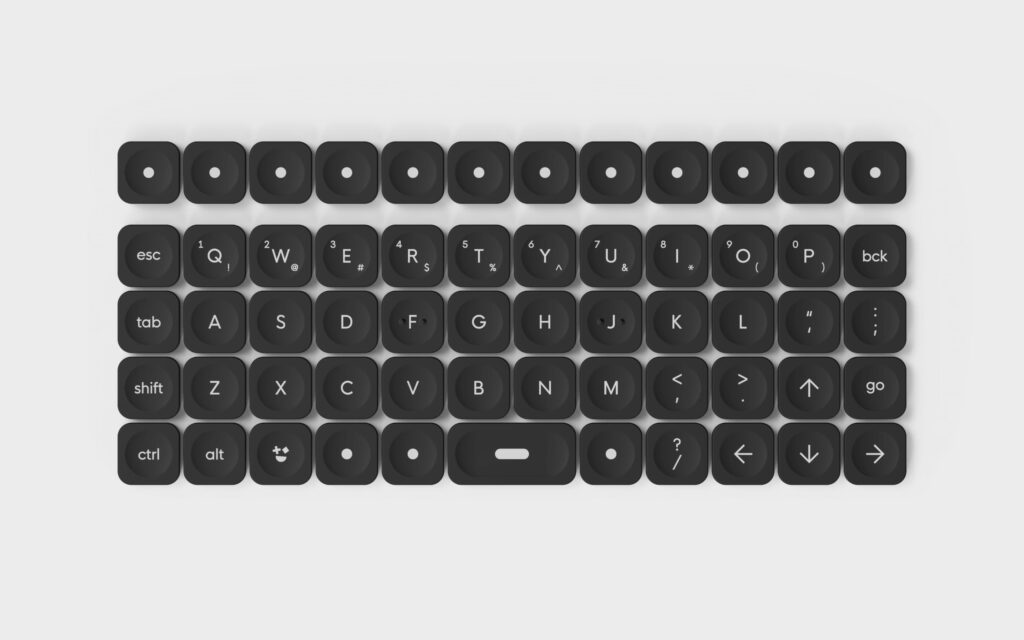
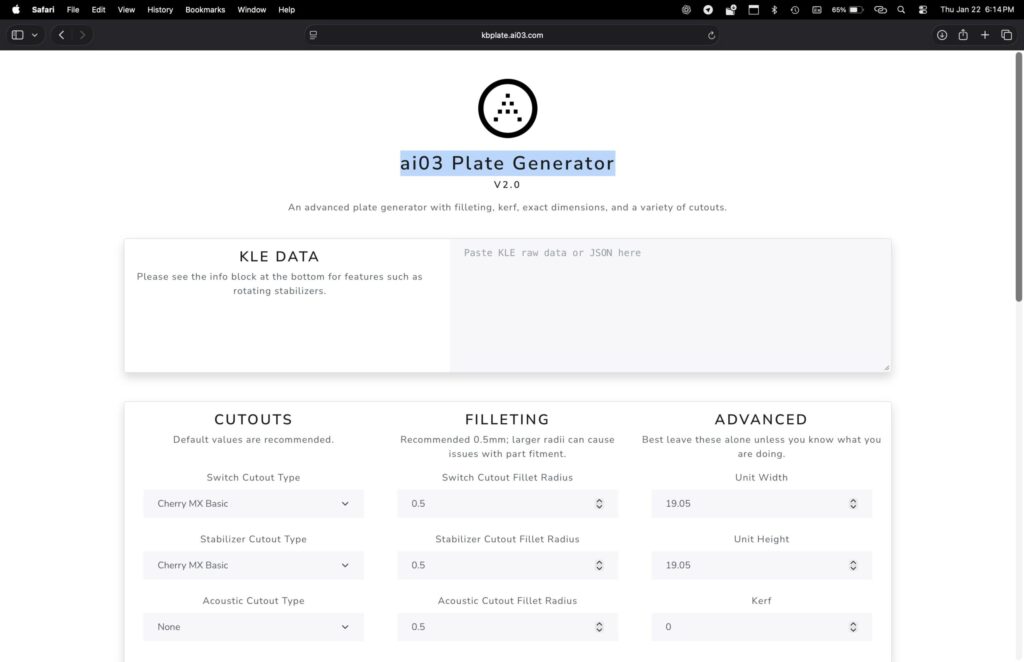
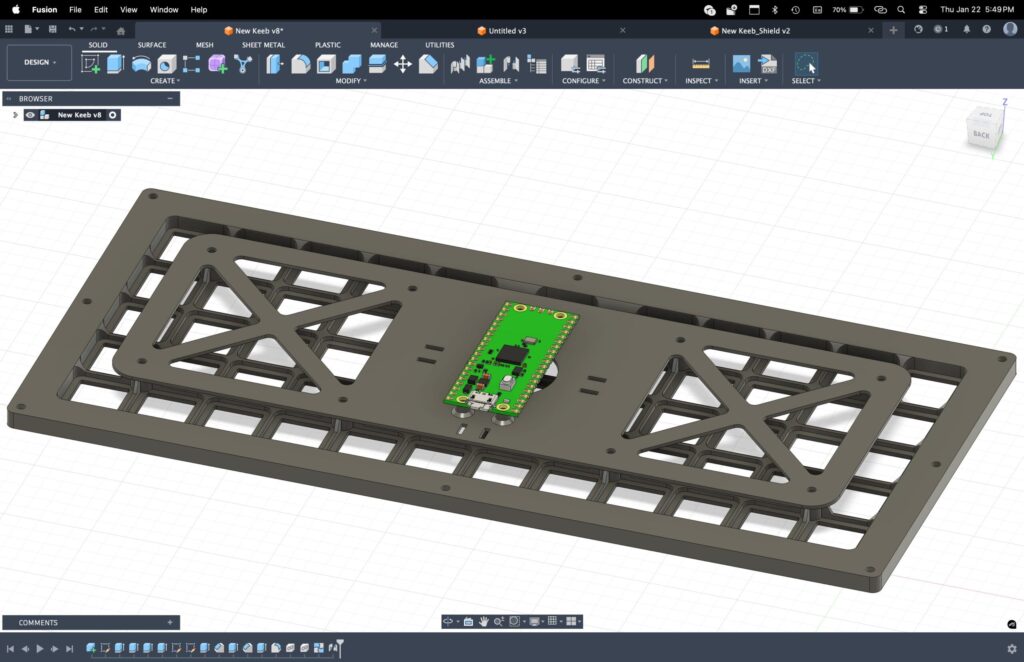
The keyboard plate itself is fully custom and 3D printed. I didn’t want to design the layout blindly in CAD, so I started where most keyboard people do: Keyboard Layout Editor. I mocked up the exact layout there until the spacing and ergonomics felt right (well, really it just needed to match the keycaps), then exported the raw JSON data. That JSON went straight into ai03’s Plate Generator, which turned it into a DXF file for the plate cutout.
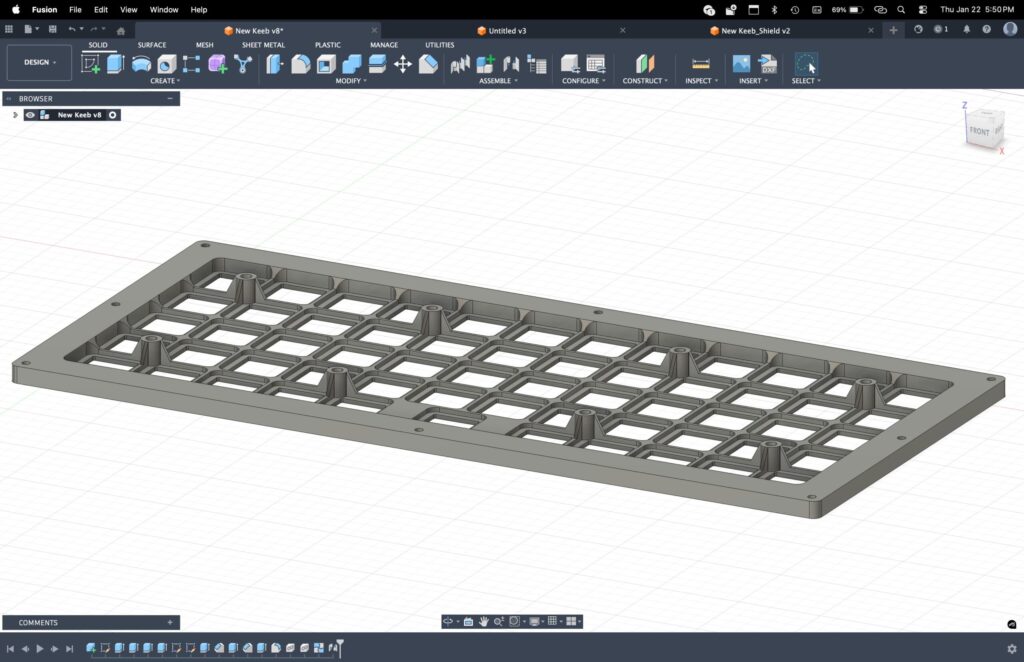
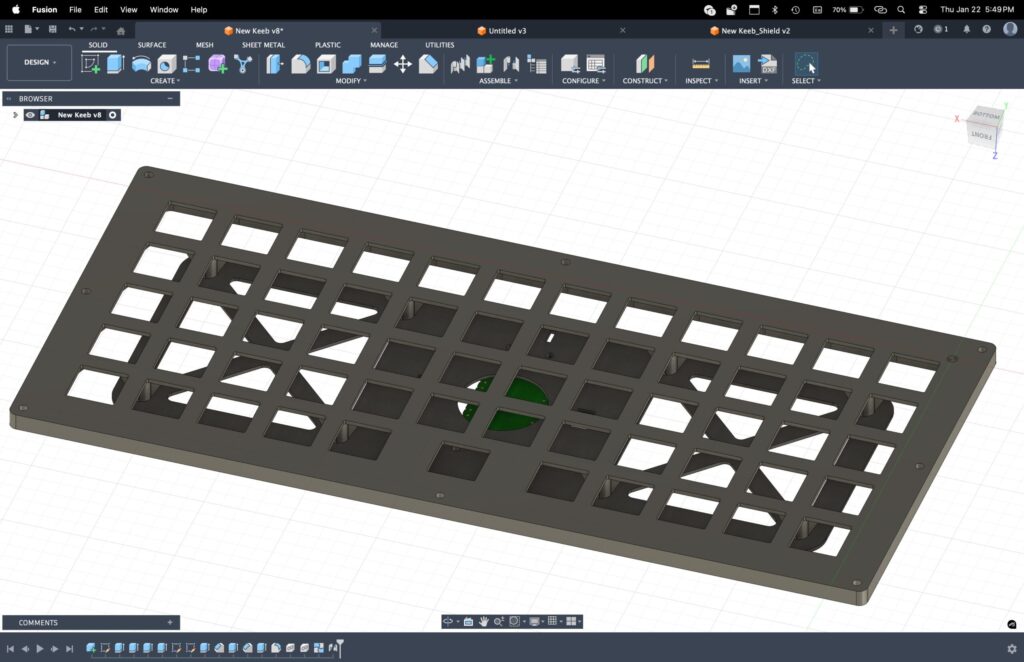
From there, the DXF got imported into Fusion, where I modeled the final plate geometry around it. Thickness, mounting points, tolerances, and how it integrates with the rest of the chassis all happened at this stage. Using this workflow saved a ton of time and avoided the usual guesswork of lining up switches by hand in CAD. The plate is accurate because it’s driven directly from the layout.
Driving the whole thing is a Raspberry Pi Pico, which feels almost made for this kind of job. It’s small, cheap, insanely well supported, and perfect for running keyboard firmware. I’m hand wiring the entire matrix instead of using a PCB, which is one of my favorite parts of building decks. It’s slower, sure, but it gives you complete control over routing, keeps things flexible, and feels very on theme for a cyberdeck. There’s something satisfying about seeing a clean hand wired matrix come together wire by wire.
I’m also integrating a modified TrackPoint from a ThinkPad T410 keyboard directly into the layout. It will be in a separate component to the right of the keyboard. I’ve always loved TrackPoints on laptops because they keep your hands on the keys and don’t waste space on a big touchpad. For a compact cyberdeck, that tradeoff makes even more sense. The TrackPoint will be wired into the same Pi Pico that handles the keyboard, so one microcontroller manages both key input and pointing input. Fewer boards, fewer cables, and tighter integration overall. It feels very much in the spirit of old ThinkPads and industrial hardware, which honestly is a big part of the inspiration here.
In the end, this keyboard isn’t just an input device. It’s a core piece of the deck’s identity. It’s compact, deliberate, a little experimental, and very much not off the shelf. Exactly how I want the rest of the system to feel.